Terrible Lizards system requirements
The Terrible Lizards system requirements list Windows 10, 6 GB RAM, GTX 1050 2GB or RX 560 2GB, and 25 GB available space as minimum. Recommended specifications list Windows 11, 12 GB RAM and RTX 2080 or RX 6800 XT. Both tiers require a 64-bit CPU and OS; compare the exact CPU and DirectX entries below.
Free and unlimited reading • $0 • No sign-up
 Enlarge image
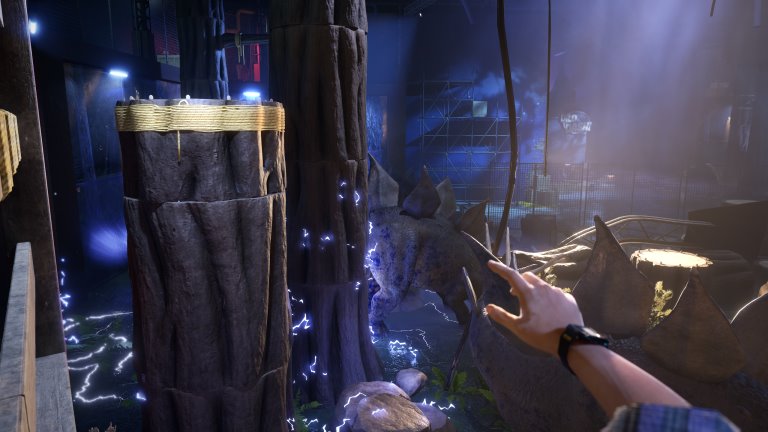
Official game scene, not a benchmark, error screenshot or ending proof. Public-source research, not first-hand gameplay testing.
Use your browser’s print dialog; choose Save as PDF if available. Only open sections are printed. Open spoilers yourself if you want them included.
Reading and privacy
Guide reading and these checks need no account. Tool inputs stay in your browser; optional analytics is controlled separately in privacy preferences. Site privacy policy · Google Privacy Policy
| Component | Minimum | Recommended |
|---|---|---|
| Operating system | Windows 10 | Windows 11 |
| Processor | Intel Core i5-6400 / AMD Ryzen 3 1200 | Intel Core i3-10100F / AMD Ryzen 3 3100 |
| System RAM | 6 GB | 12 GB |
| Graphics card | NVIDIA GeForce GTX 1050 2GB / AMD Radeon RX 560 2GB | NVIDIA GeForce RTX 2080 / AMD Radeon RX 6800 XT |
| DirectX | 11 | 12 |
| Available space | 25 GB | 25 GB |
| Architecture | 64-bit processor and operating system | 64-bit processor and operating system |
Requirements checked 1 November 2026 · Steam ↗
- Use the two official Steam tiers below for the full Windows game; the console editions have separate storefronts.
- Compare the exact CPU and GPU models as well as RAM, operating system, DirectX and available storage.
- The partial check covers only the three values you enter. No official FPS, resolution or graphics-preset target is attached to these tiers.
Check three published requirements
Enter your installed system RAM, free space on the installation drive, and whether both CPU and OS are 64-bit.
Inputs stay in this browser. No scan, file upload or changes to a game save.
Reading the Terrible Lizards system requirements
Start with the minimum column to find a published requirement that your PC misses. Then compare the recommended column for the developer’s higher listed configuration. Keep the rows together: meeting the RAM requirement cannot compensate for an incompatible graphics card or operating system.
The store does not identify a frame-rate target, screen resolution or graphics preset for either tier. “Recommended” therefore does not mean a verified maximum-settings or 60 FPS guarantee. This page compares published specifications; it has not benchmarked the game on those machines.
Find the details you need before comparing
In Windows Settings, System → About normally shows the processor, installed RAM and system type. Task Manager’s Performance tab can help identify the GPU and distinguish system memory from dedicated graphics memory. Windows labels can vary by version and language.
For storage, inspect free space on the drive where the game will be installed. A large drive with little free capacity can still miss the 25 GB requirement. If a laptop shows both integrated and dedicated graphics, record both models and check which one the game actually uses.
Compare complete CPU and GPU names
The minimum CPU choices are an Intel Core i5-6400 or AMD Ryzen 3 1200; recommended choices are a Core i3-10100F or Ryzen 3 3100. Do not rank these by the i3 or i5 label alone. Generation and full model matter, so a processor family name without its model is not enough for a decision.
The graphics rows also name specific models. A different card with the same amount of video memory is not automatically equivalent. The 2GB beside GTX 1050 and RX 560 is graphics memory, separate from the computer’s 6 or 12 GB system RAM. This guide does not invent performance rankings for unlisted GPUs.
Interpret RAM, available space and 64-bit results
For the RAM row alone, 8 GB is above the 6 GB minimum and below the 12 GB recommendation. It does not establish overall compatibility. A 12 GB RAM result still leaves the CPU, graphics card, Windows version and DirectX rows to check.
Both tiers list 25 GB available space. That is not a promise that the download, installed files or future updates always occupy exactly 25 GB. Both tiers also require a 64-bit processor and OS: having a 64-bit CPU does not prove that the installed operating system is 64-bit.
Windows requirements and platform differences
Steam lists Windows 10 for minimum and Windows 11 for recommended, with DirectX 11 and 12 respectively. Its native platform listing is Windows; it does not list native macOS or Linux releases. Compatibility layers or player reports should not be presented as official native support.
The official publisher also links PlayStation, Xbox and Epic Games Store editions. These PC requirements are not installation instructions for PS5 or Xbox Series X|S. Epic repeats the RAM, GPU, storage and DirectX figures, but its CPU field only says 64bit; Steam supplies the specific CPU models used here.
Demo, controllers and handheld expectations
Steam provides a separate free demo and lists full controller support for the main game. Trying the demo can help you judge movement and your input preferences, but a short demo session cannot verify performance in every full-game cavern, chase or later level.
Controller support does not certify every device feature, Bluetooth configuration or handheld. A graphics preset named for a handheld is also different from a current compatibility rating. This page makes no Steam Deck certification claim and does not invent fixed button layouts or best-settings measurements.
Choose the next step from the comparison
If one entered value is below its published threshold, resolve that specific gap before treating the result as a match. If a detail is unknown, leave it unknown and find the actual specification. Passing the partial form means only that those entered values meet the displayed numeric requirements.
If the hardware appears to match but the game crashes or slows down, use the separate crashing guide to distinguish a process crash, a performance problem and a progression lock. Patch 1.0.9 lists several specific fixes; it does not promise to eliminate every crash. Record your store, installed version, affected chapter and error message when seeking support.
 Enlarge image
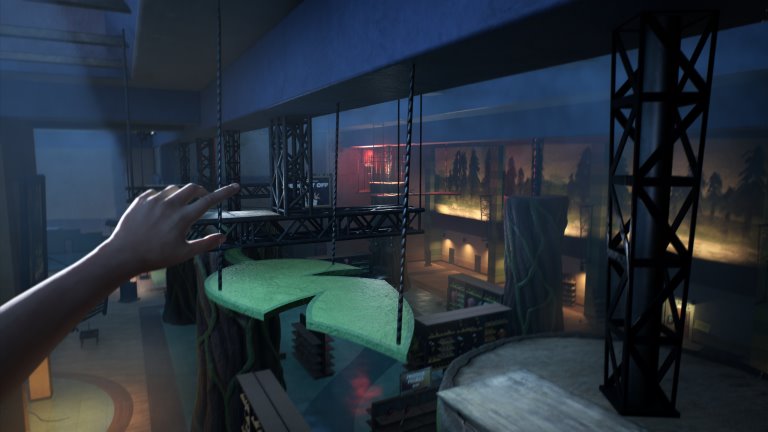
Official game scene, not a benchmark, error screenshot or ending proof.