Terrible Lizards crashing
For Terrible Lizards crashing, check 3 things first: platform and storefront, installed full-game version, and the exact failing scene. Then distinguish a process exit from low FPS or a progression lock. Patch 1.0.9 names specific fixes; it is not a verified cure for every Fatal Error.
Free and unlimited reading • $0 • No sign-up
 Enlarge image
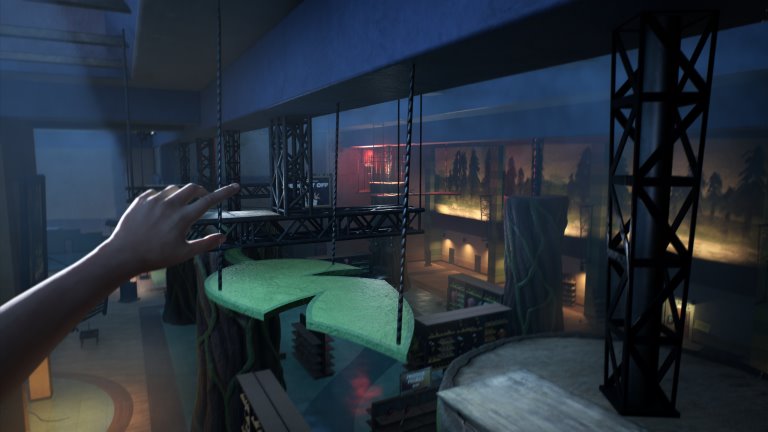
Official game scene, not a benchmark, error screenshot or ending proof. Public-source research, not first-hand gameplay testing.
Use your browser’s print dialog; choose Save as PDF if available. Only open sections are printed. Open spoilers yourself if you want them included.
Reading and privacy
Guide reading and these checks need no account. Tool inputs stay in your browser; optional analytics is controlled separately in privacy preferences. Site privacy policy · Google Privacy Policy
| Issue | What to check |
|---|---|
| Closes / Fatal Error | The game closes at launch or shows Fatal Error |
| Low FPS / blurry visuals | Low FPS, blurry visuals or transition crashes |
| Sprint / level loading | Sprinting is locked, or a scene will not load |
- Official patch: 1.0.9, dated October 30, 2026.
- Crash, low FPS and a progression soft-lock are different symptoms.
- This is a free research-based guide, not a tested repair or a game-save service.
Where does Terrible Lizards crashing happen?
Choose the symptom closest to what you actually see. A process that closes with Fatal Error, a level that fails to appear, a character unable to sprint and a scene that remains playable at low frame rate should not be treated as the same problem. Note the last checkpoint and whether the failure repeats after the same action.
Record Steam, PC Game Pass, PlayStation 5 or Xbox Series separately, together with the game version and date. A report about one storefront does not establish the condition of another build. Also distinguish the released game from the earlier demo before applying advice from an old discussion.
What does the 1.0.9 patch actually change?
The developer’s October 30 changelog names several specific fixes. It does not say that every crash, streaming issue or hardware combination is now resolved. Confirm that your installed build includes the update, then check the original problem again before trying another change. Console update timing is not established by the PC announcement.
Useful matches include a title screen remaining over gameplay, Stella calls locking buttons, immediate slide deaths, controller sprint lockouts and levels failing to load or unload. The second Bronto hunt’s invisible collider and the second Allo hunt’s four-fuse issue also appear in the official list. Those are developer statements, not fixes we reproduced in the game.
The game closes at launch or shows Fatal Error
First write down the exact error and whether the game reaches its title screen. Finish pending game/client updates and use the appropriate storefront’s built-in file verification or repair controls. Restart and test the same point once. This is a conservative troubleshooting sequence, not proof that damaged files caused your failure.
Do not delete save folders, replace random DLLs or install an unofficial “crash fix” to follow this guide. Preserve your existing game data. Website JSON backups contain only manual checklist records and cannot restore a damaged game save. For repeated failures, keep a short record of what changed and send it through the developer’s official reporting channels.
Low FPS, blurry visuals or transition crashes
Compare your hardware with the separately listed PC requirements, but do not turn a matching GPU name into a promised frame rate. The store gives minimum and recommended components without a published target resolution or FPS. A performance complaint does not by itself prove a memory leak or a particular driver fault.
Players have reported different results even with similar RTX 3070 systems. One Game Pass player said a different graphics preset and upscaler got past a failing point; that is one reported workaround, not a verified general fix. If you test graphics options, note the originals, change one option at a time and restore it if the result is worse. Avoid BIOS or registry changes based on forum guesses.
Sprinting is locked, or a scene will not load
Check the official patch matches before rebuilding your control setup. Controller sprint lockout and several loading/unloading problems are explicitly named in 1.0.9. An unresponsive button after a Stella call may also be a progression issue rather than a broken controller. Record when it began and which platform/build you used.
If the game remains responsive but you cannot find the next action, use the chapter walkthrough instead. Its prerequisite/action/result checks address route confusion, not software crashes. Similarly, the four-plush tracker records your own challenge progress; it does not repair checkpoints or unlock a blocked event in the game.
What should a useful bug report include?
Include the platform and storefront, version, CPU/GPU/RAM when relevant, the exact message, chapter and landmark, last successful action and whether the same failure happens again. State which reversible changes you tried and what happened. An error screenshot can help, but remove account details and unrelated personal information before posting publicly.
Use the developer’s linked Steam discussion or official support community, and read its pinned instructions first. This website does not collect crash dumps, account passwords, reward codes or save files. We organize official notes and attributed player observations; we have not benchmarked the game or confirmed the reported workarounds.
 Enlarge image
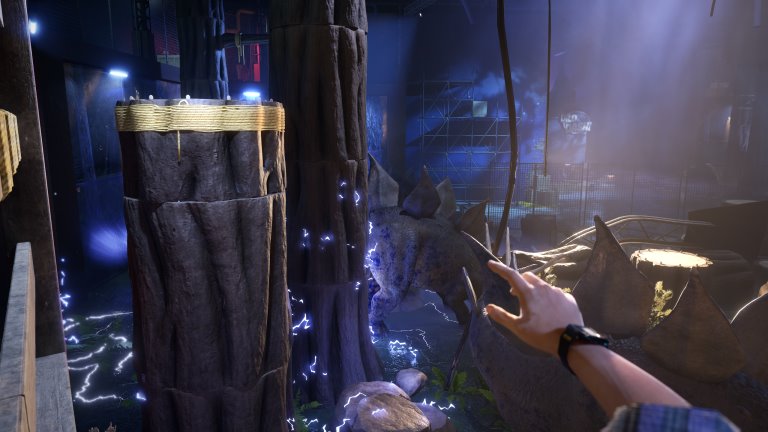
Official game scene, not a benchmark, error screenshot or ending proof.
Sources and reported observations
- WDR Studios — Patch Version 1.0.9 (October 30, 2026) ↗
- Gwuee-tastic — FATAL ERROR AFTER FATAL ERROR (October 31, 2026) ↗
- KrisWin117 — Lots of Fatal Errors (October 30, 2026) ↗
- Wendecho — Originally was loving this but now not so much (October 30, 2026) ↗
- Steam — Terrible Lizards official PC requirements ↗
- Terrible Lizards — Steam bug reports and discussions ↗